
Excel Add-In not Fully Installing V26.3
Good Day All,
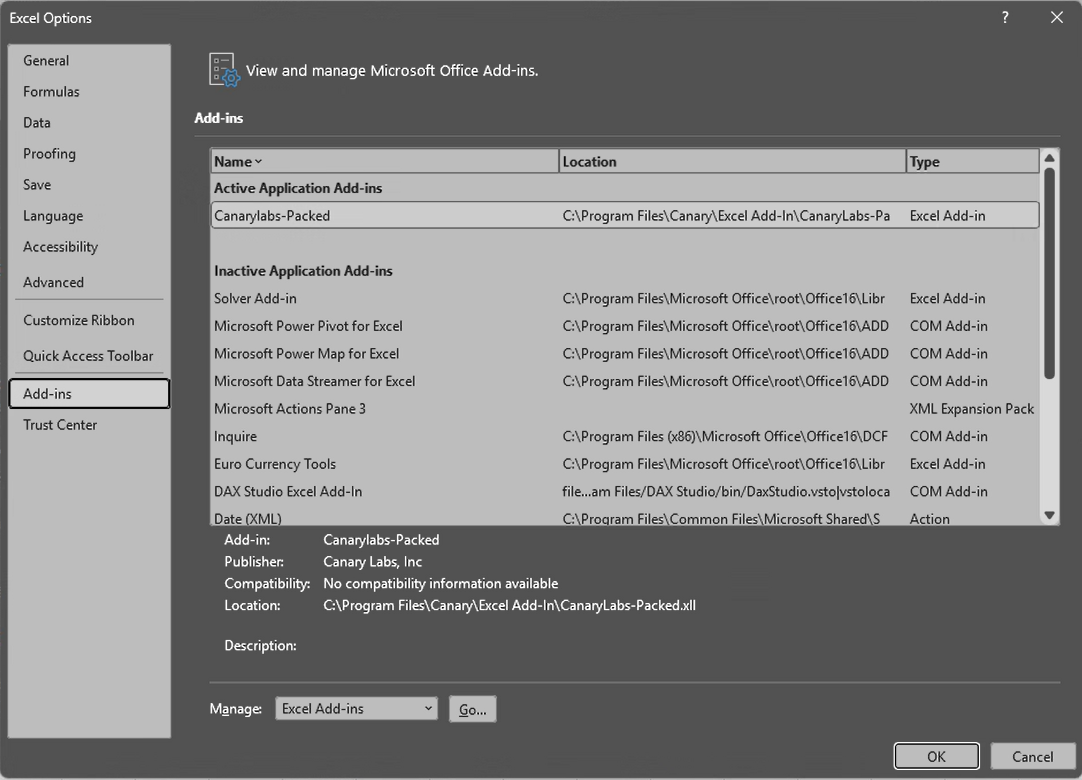
I have an internal customer that would like to leverage the Excel Add-In. The Canary install process went through without throwing any errors, no log entries. When I launch excel, there is no Canary Labs tab at the top, and all of the components are not showing in the File>Options>Add-ins Active Application Add-ins just "Canarylabs-Packed." I have added Canary Labs as a trusted publisher. I tried a clean installation from scratch but same result. I don't think this is a Canary thing but a configuration or security issue on the client PC. Below is a screenshot of the Add-ins screen looks like right after installation.... Windows 11 Enterprise.
Any help would much appreciated!! Thank you in advance for your time.
4 replies
-
Following! I've got a customer who packaged the Excel Add-in in Intune and it's not showing up after being deployed. Not sure we'll have the same fix, but could be related.
-
Hi ,
Here is what my screen looks like:

I have 3 additional COM Add-in types, but I am also using the 64-bit version of Excel. It appears your end user may be using the 32-bit version, which is fine. There is an .xll file for both versions, but that may be why there is a difference between the two.
If you select "COM Add-ins" from the Manage drop-down and click Go, do see the COM add-ins listed?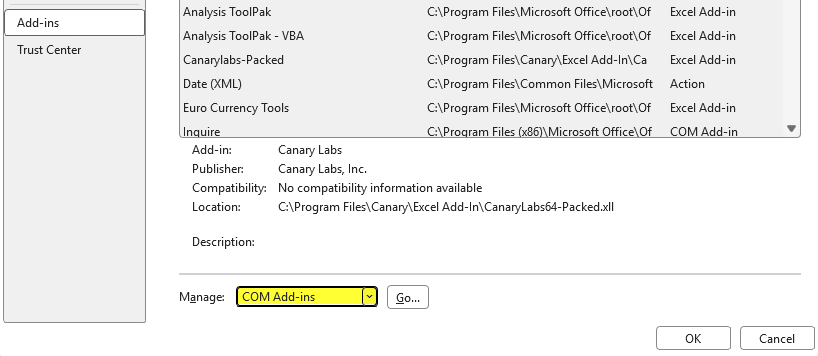
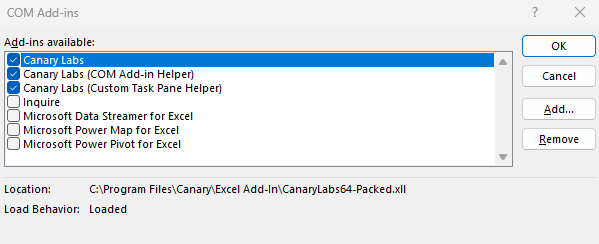
You could also try the "Disabled Items" option and see if anything is listed there.
-
To me, it looks like it is trying to use the 32-bit version of the add-in based on the .xll file, "CanaryLabs-Packed.xll". The 64-bit version is "CanaryLabs64-Packed.xll". Both get placed in C:\Program Files\Canary\Excel Add-In upon installation. You could try manually adding the add-in by selecting Excel Add-ins from the Manage drop-down and clicking Go. If Canary Labs isn't listed, you could browse for the xll file mentioned above.
 Print this page