
3
Canary Calculations %Path% Variable Support
Feedback / Product Ideas and Feature Requests / Calculations & Events
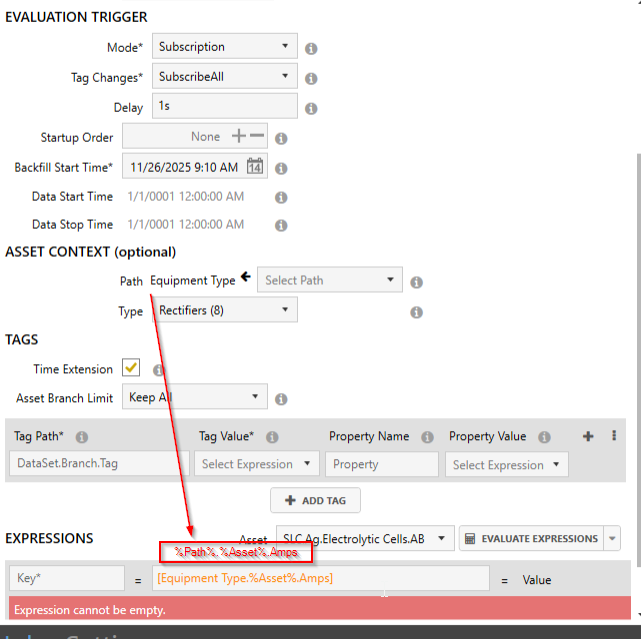
Currently in Calculations, %Asset% is supported which makes building dynamic calculations easy. Still though, you have to manually type in the 'Path' portion even if it is selected above. In the example below, I have added the Path to the Asset Context already. It would be great if I can just refer to it as %Path% instead of setting it twice. This makes it easy in the future if I ever want to modify my path, I don't need to do it twice for everything.
3 replies
-
Hi ,
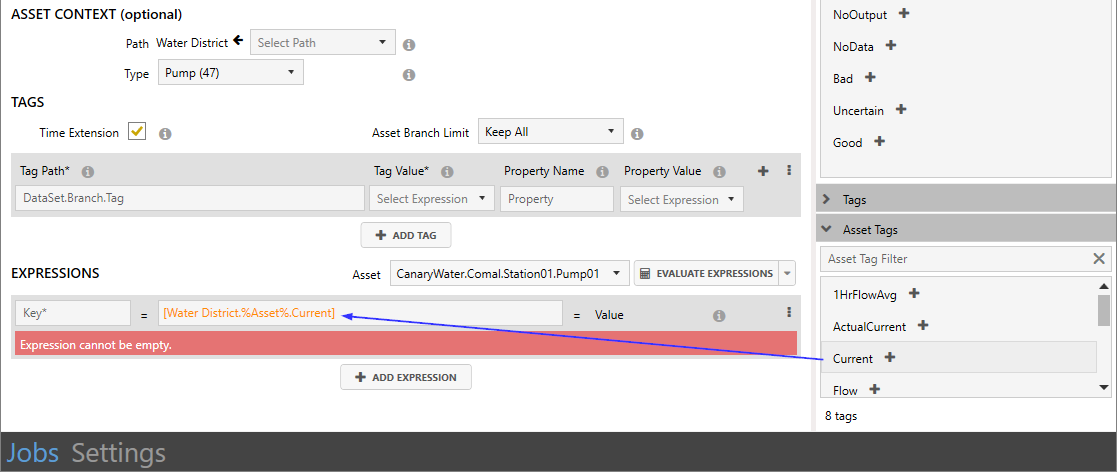
There is an Asset Tags menu in the bottom right which contains an exhaustive list of tags of the configured asset type. If you add tags to the expression from here, it will include all of the information it needs, path and everything.
 Print this page