0

Axiom application and chart getting grayed out randomly and not able to save or open.

Hi, 

Using Canary v25.5 and showing this bug and multiple people observed the same issues.

Please do a fix as this time, I was going to make a save after modifying an application and it got grayed out!
 

3 replies

null
    • smason
    • 3 days ago
    • Reported - view

    Hi ,

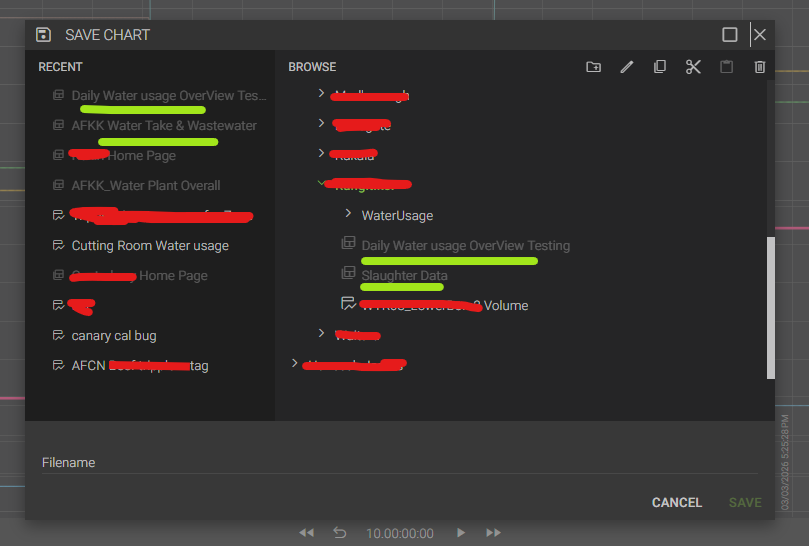
    The reason some of those files are grayed out is because they are applications, and the file you are trying to save is a chart. Charts and applications no longer have their own separate menu to open and save. They are indicated by the icon in front of the file name.

      • hjames
      • yesterday
      • Reported - view

       Thank you for pointing out and now it makes me curious to do some further test.

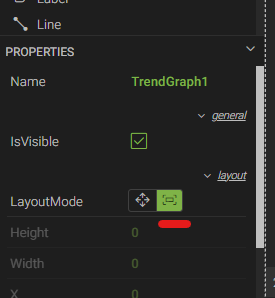
      fyi, this is an application with multiple charts and bar charts in different tabs. In some tab I used for the chart, LayoutMode fill. So, if I use short key cntrl+s instead of point to the parent application, it chooses to save that chart. Looks like a bug to me.

      Give a try by creating multiple tabs and make one tab with normal chart and another tab with chart layout Mode as fill. Then try to save the application in the two different tab and you will strike the same save as chart condition. 


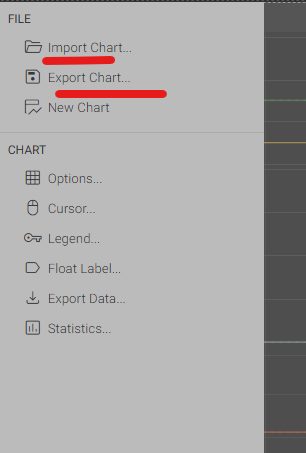
      As per V22 from my memory, if we are saving in an application in whatever the tab it will always point to the parent application location to overwrite save. Unless if I select the drop down of the particular chart and use export chart/Import chart function.


      The temporary solution I found is, if saving an application, don't use short key instead use the drop down of the application and use save as.

      • smason
      • 17 hrs ago
      • Reported - view

      Thanks  ,

      I think I was able to replicate what you are explaining. It appears to be a bug to me.

      In regard to v22, if you embedded a previously saved chart, I believe it would manage the application and the chart file separately. That is not the case anymore. If you embed a chart, the chart gets saved with the application separate from the original chart file. If you make changes to chart file at a later point in time, they will not get passed into the application because it has its own copy of the chart.

Content aside

print this pagePrint this page
  • Status Acknowledged
  • 17 hrs agoLast active
  • 3Replies
  • 12Views
  • 2 Following