
Using API Tokens (version 26)
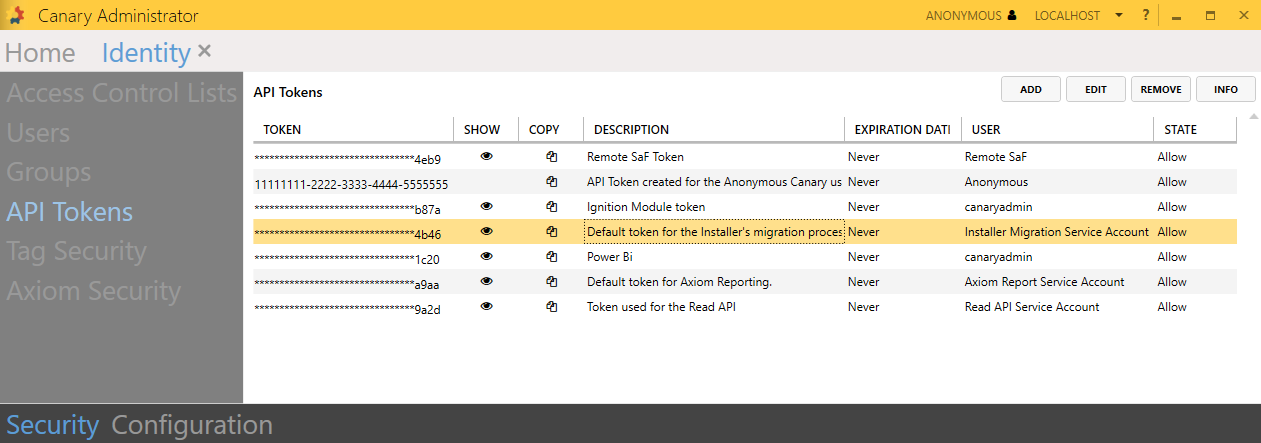
API tokens are used extensively throughout the Canary system for authenticating users and remote Canary services. Tokens are mapped to an internal Canary user which, in turn, are placed on ACL's for authorization. Below are the various ways API tokens are implemented.
Views (Read) API
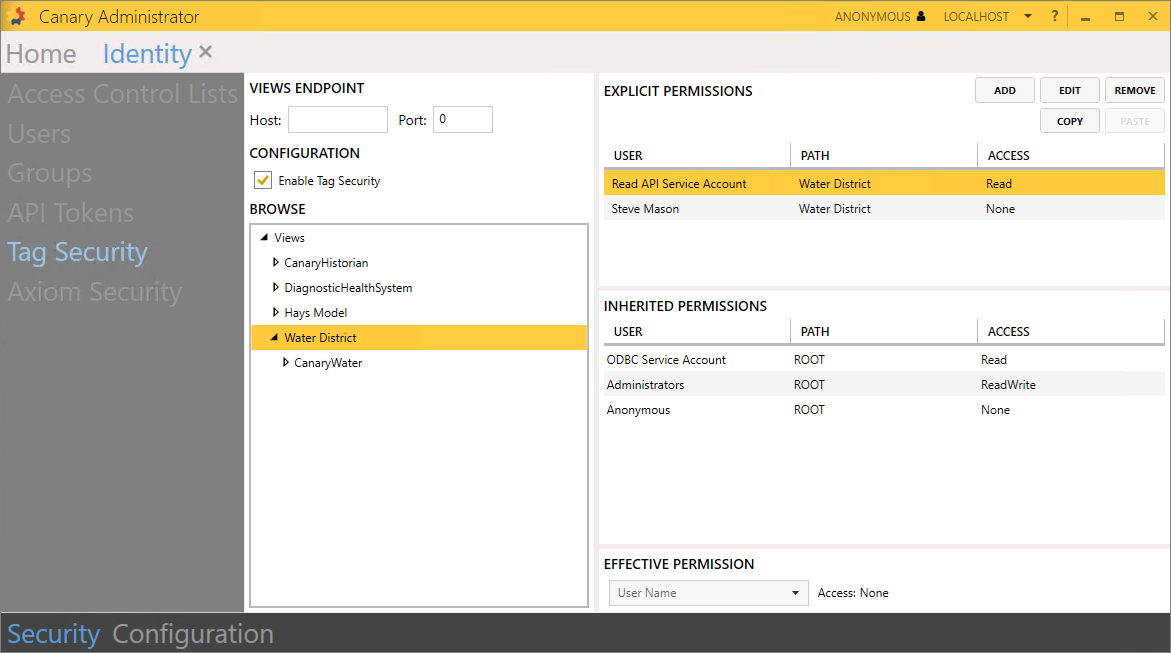
An API token is needed when requesting data with the gRPC or web API. The Canary user mapped to the token must be given Read permissions to the appropriate node/level within Identity>Security>Tag Security if Tag Security is enabled.
SaF (Write) API
Similar to the Read API, an API token is needed when writing data to the Historian using the gRPC or web API. If Tag Security is enabled, the Canary user mapped to the API token must be given Write permissions to the appropriate node/level within Identity>Security>Tag Security.
SaF to a Remote Historian where Tag Security is Enabled
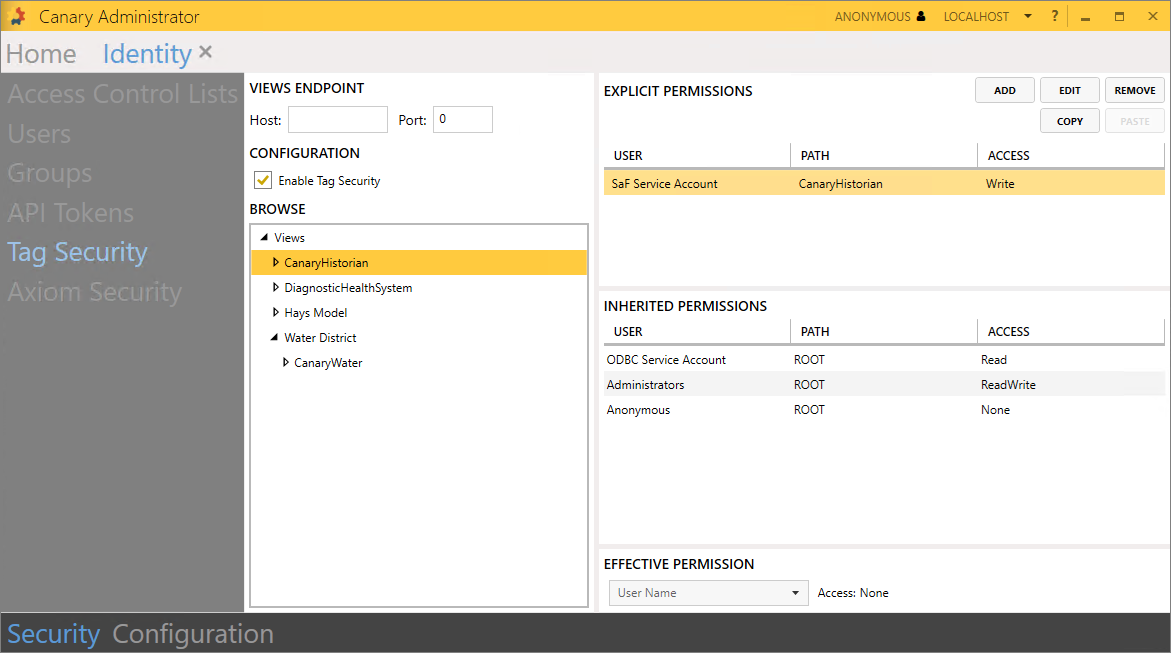
If a Collector server using the SaF (Store and Forward) service is logging data to a remote Historian where Tag Security is enabled, the SaF service will need to use an API token. The user must update the Store and Forward>Configuration>Settings>Identity Application Token on the Collector server to use this token.

Also, the Canary user mapped to the API token must be given Write permissions to the appropriate node/level within Identity>Security>Tag Security.
Adding a Remote Historian to Views
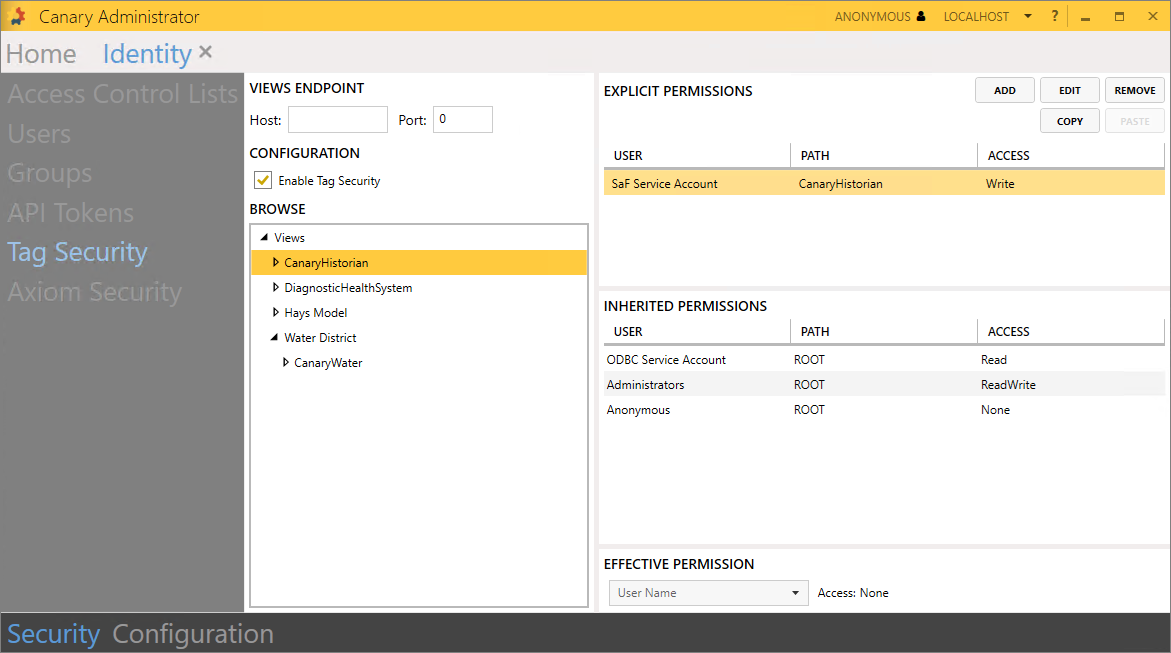
If needing to add a remote Historian view to the Views service, the Views service must be configured to use an API token through the Views>Configuration>Settings screen.

Also, the Canary user mapped to the API token must be given access on the Historian Access ACL.
Accessing Events Using a Remote Views Service
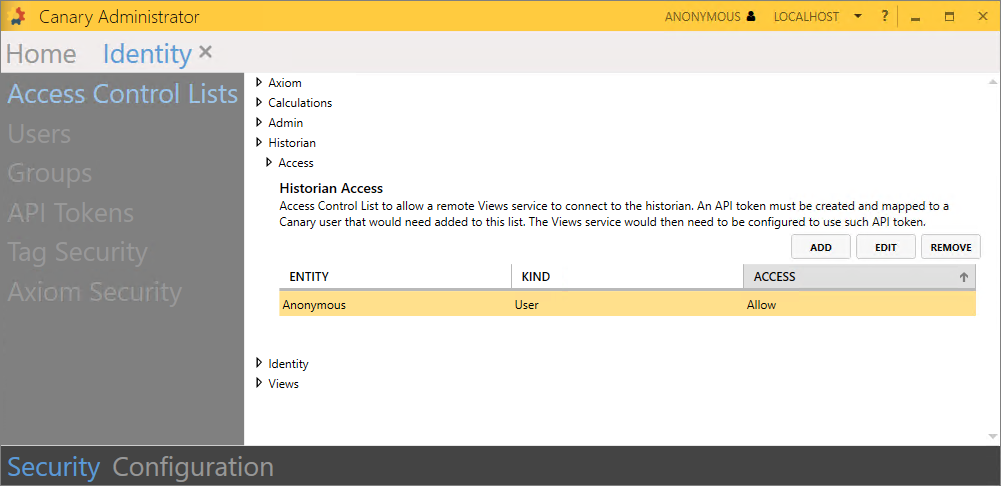
In the scenario where Axiom & Views are installed on a dedicated server apart from the Calculation service, the Views service must be configured to use an API token to not only connect to the Historian, but also to read events from the Calc service in order to populate the Events Table within Axiom.

The Canary user mapped to the API token must be given access on the Calculations Events Access ACL and the Historian Access ACL.

Running Automated Reports from a Remote Axiom Service
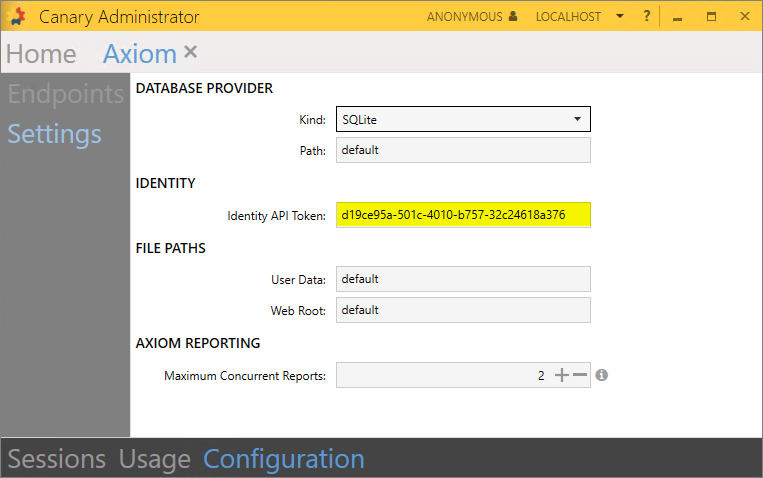
If Axiom is installed remotely from the Identity service, it must be configured to use an API token to run Automated Reports. By default, Canary generates a token and Canary user (Axiom Report Service Account) for this specific purpose.
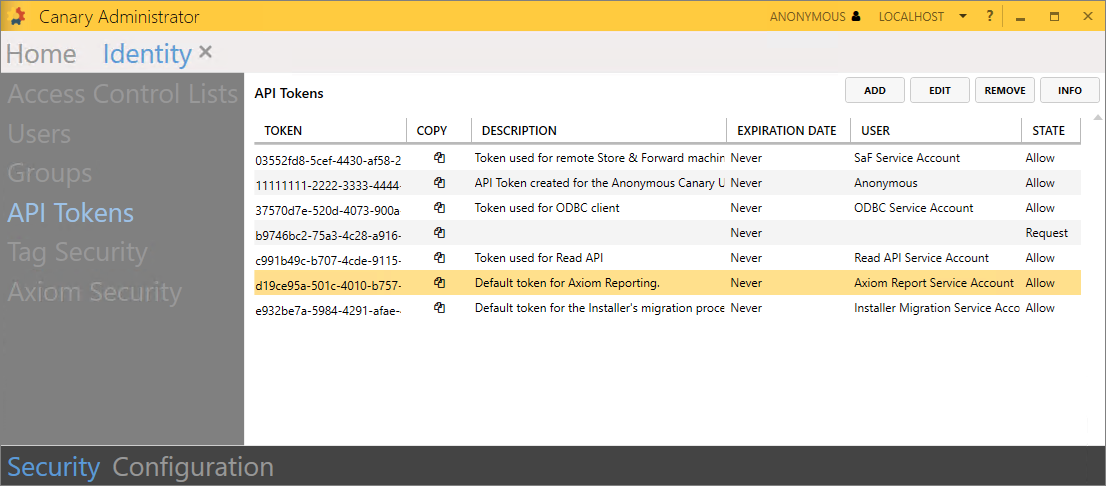
The token must be placed in the Axiom tile>Configuration>Settings>Identity API Token field where the Axiom service is installed.
Authenticating with the ODBC Client
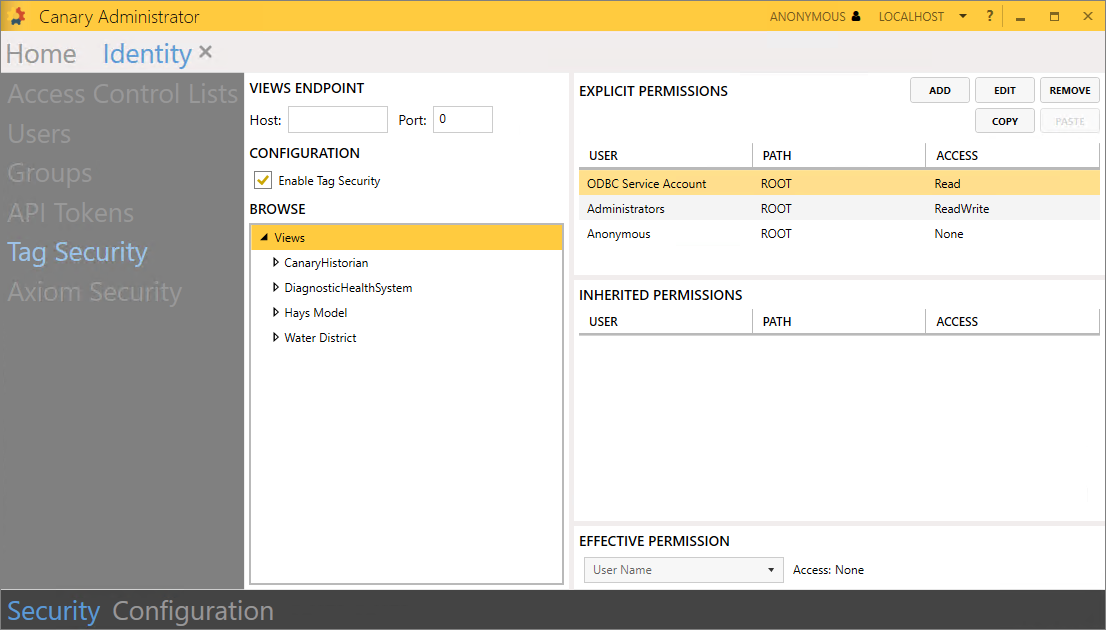
To make a secure connection with the ODBC client, set the username to apitoken and the password to the token itself.

The Canary user linked to the token must be given Read access to the appropriate node/level within Identity>Security>Tag Security if Tag Security is enabled.
Authenticating with the Excel Add-in (optional)
By default, a user is prompted to authenticate through a browser window each time they open the Excel Add-in to use one of its functions. This workflow may become cumbersome. If they would like to bypass this authentication process, the Add-in can be configured to use a token instead by selecting the Settings gear icon from the ribbon.

When a token is applied, the user will no longer be prompted to authenticate by the browser window.
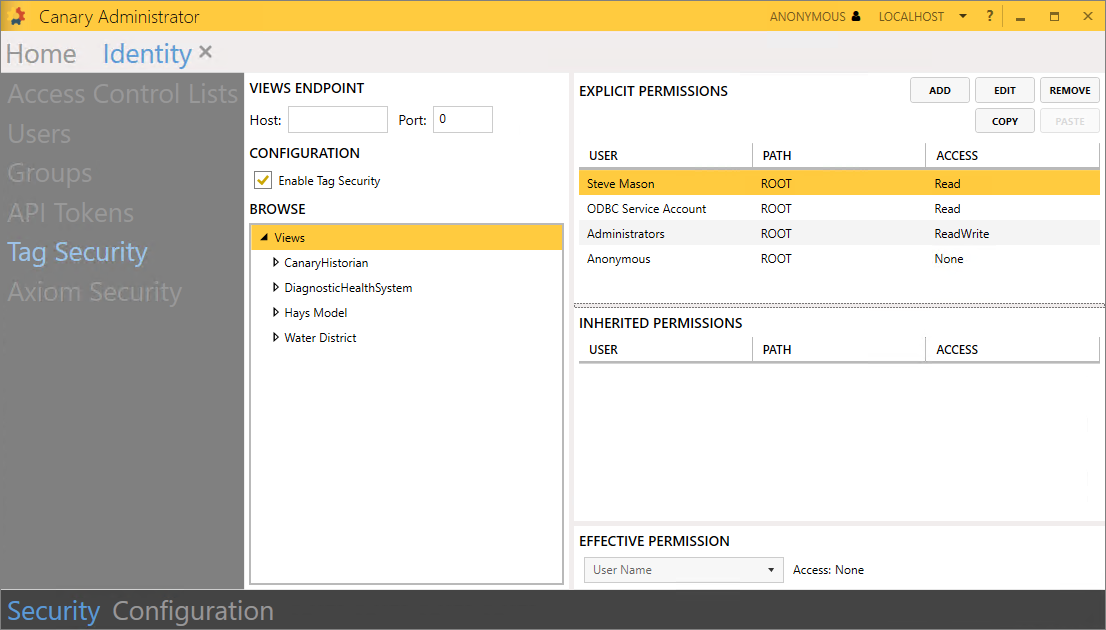
The Canary user linked to the token must be given Read access to the appropriate node/level within Identity>Security>Tag Security if security is enabled.
Upgrading a Remote Axiom/Views Server from v23
When upgrading the Canary system from v23, it is expected that the server containing the Identity service is upgraded first as other Canary services require the Identity service. In most cases, the Identity service will reside alongside the Historian. Once the Identity service is in place, other remote Canary servers can be upgraded. In the event that Axiom or Views are remote from the Identity service, an API token is required when updating the software to v24+. By default, Canary generates a token and Canary user (Installer Migration Service Account) for this specific purpose.
The token is used on the Product Migration screen of the install.
 Print this page